Block spam calls automatically.
Take your peace back.
Bloq silences unwanted calls before they ring. No data shared. No ads. No waiting for someone else to fix it.
Download free for Android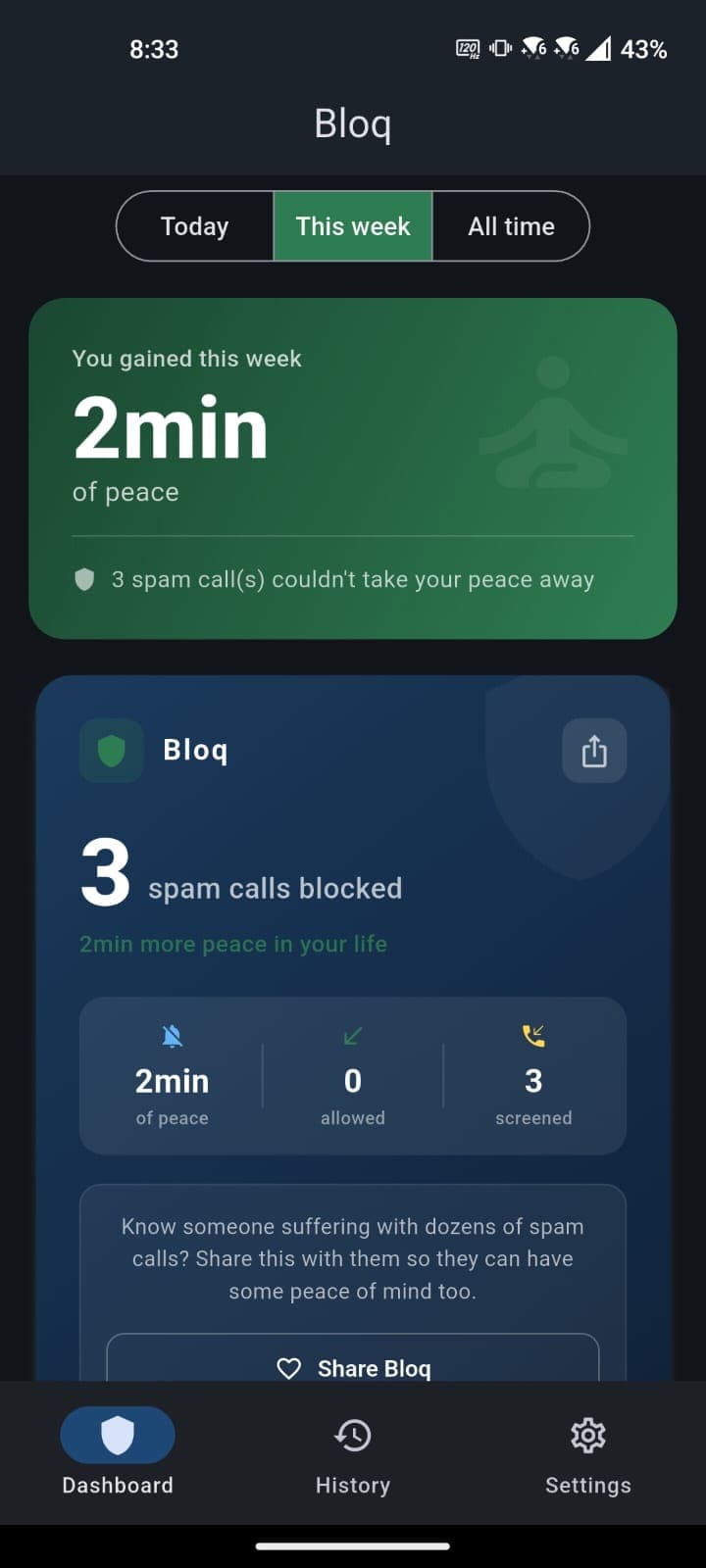
Your peace deserves protection.
Calls that interrupt your lunch, your sleep, your time with family. Numbers that change every time. And no solution that actually works.
Government blocklists don't work.
They only block companies that voluntarily register. Scammers don't register. Virtual numbers don't register. You're still unprotected.
Real comments on a CNN Brasil video
Set it up once. Protected forever.
Install and activate
Download Bloq and enable call screening. Takes less time than answering a telemarketer.
Choose your protection
Block all unknowns or just specific numbers. Your contacts always ring through.
Forget spam exists
Bloq works silently. You only notice when you check how many calls it caught for you.
Real protection. Not a band-aid.
Unlike apps that only identify callers after the fact, Bloq stops the phone from ringing.
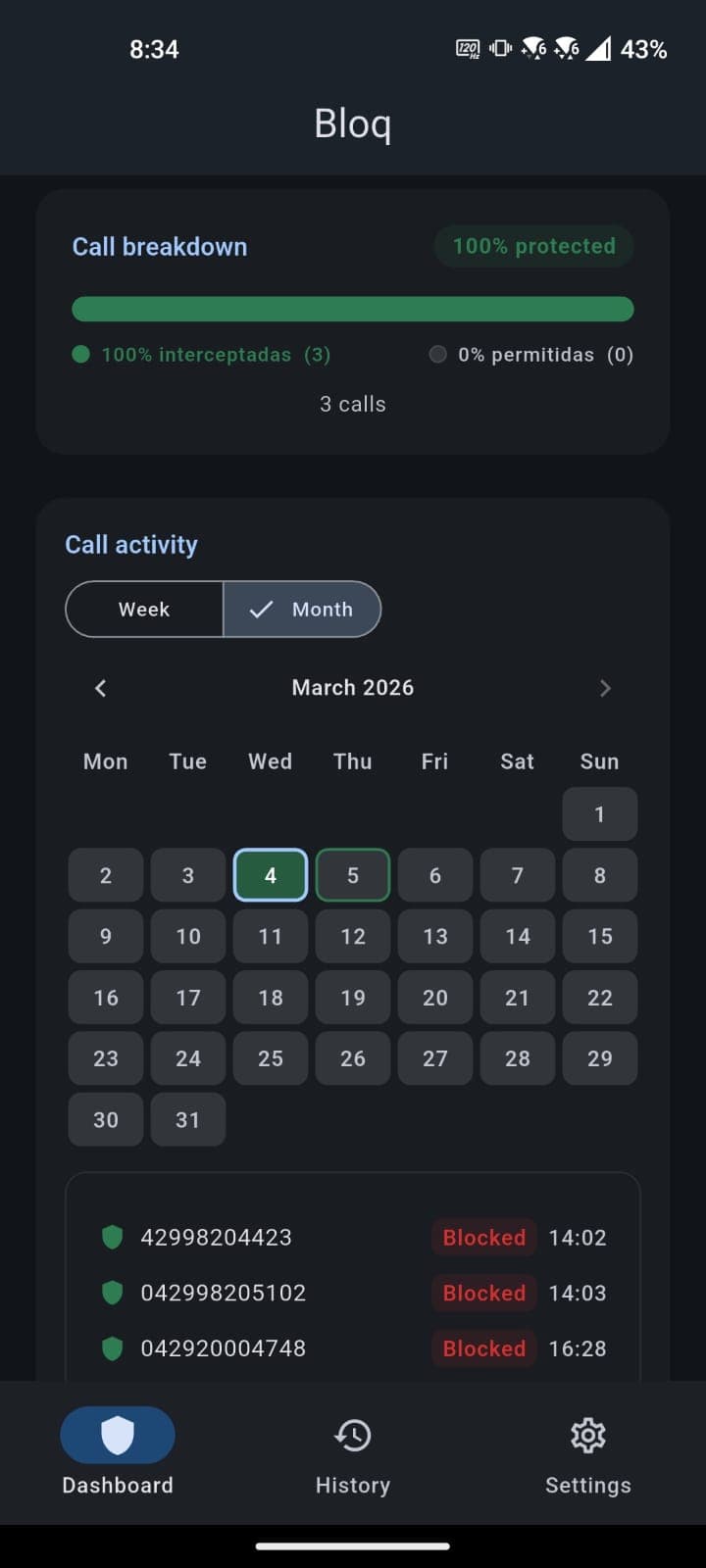
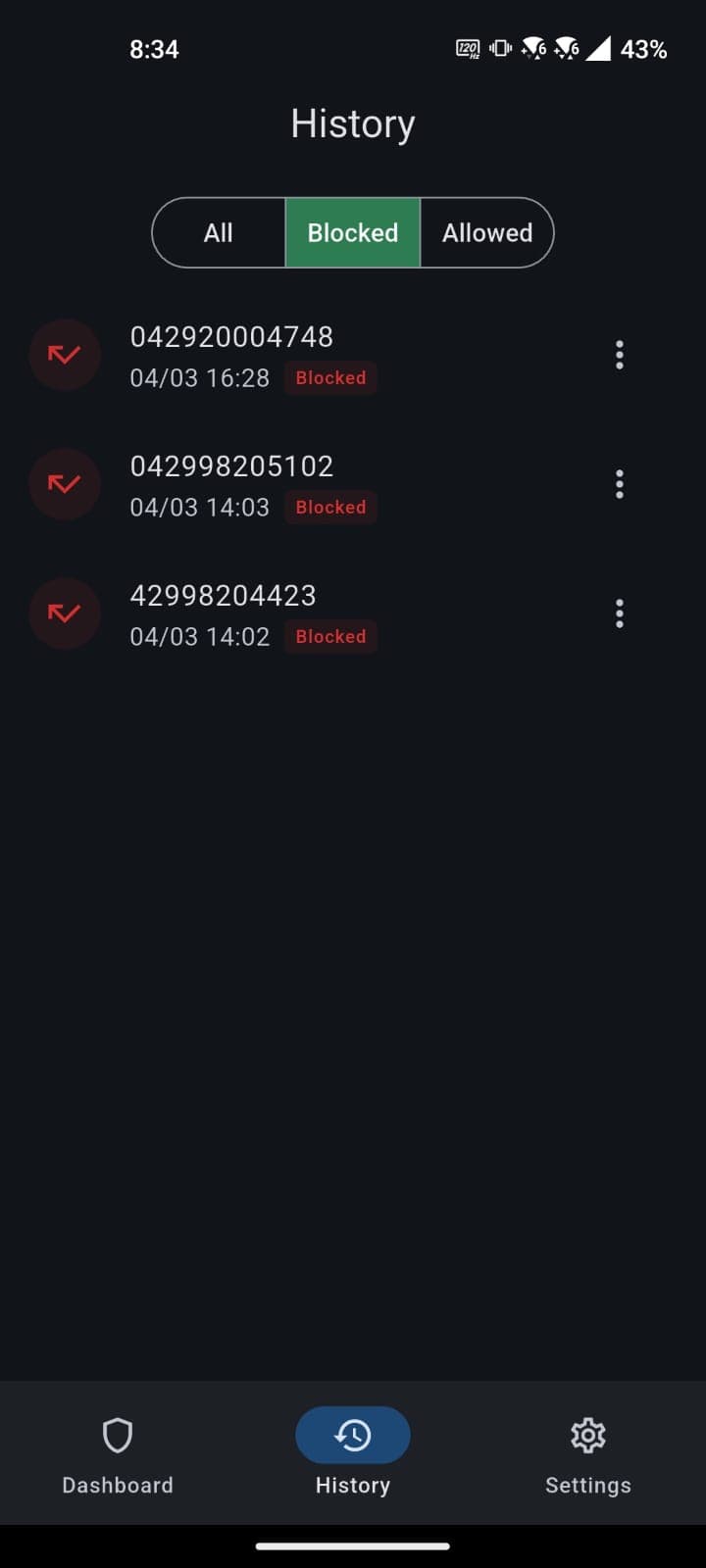
Track every blocked call in detail. Times, days, and numbers that disrupt your peace.
The truth about call blocking apps.
Many call blockers request access to your contacts and send data to external servers to build their number databases. Bloq doesn't.
| Features | Other apps | Bloq |
|---|---|---|
| Shares your contacts with third parties | Yes | Never |
| Sends contacts to external servers | Yes | Never |
| Monetizes your data | Yes | Never |
| Displays ads inside the app | Yes | Zero ads |
| Blocking happens on your device | No | 100% local |
| Compliant with LGPD (Data Protection Law) | Partial | Fully |
Bloq blocks spam without turning you into the product.
Apps like Truecaller work by uploading your entire contact list to external servers. Bloq works 100% on your device. Your contacts, your calls, your data. Nothing leaves your phone. Ever.
You can export or delete all your data at any time.
Real protection. No surprises.
Start free, no card needed. Bloq Pro unlocks everything for total peace.
Free
Basic protection for everyone
- 3 blocks per week
- Manual lists
- Call history
- Silent blocking
Bloq Pro
Most popularUnlock the ultimate spam defense
- Unlimited blocking
- Blocking schedules
- Patterns and prefixes
- Repeat caller exception
- Full statistics
- Priority access to new features
Prices in-app via Google Play
Frequently asked questions
Does it work on iPhone?
Currently, Bloq is available for Android only. We're working on the iOS version.
Does it need internet?
No. Blocking works 100% offline, directly on your device.
What if I miss an important call?
Your saved contacts always ring through. And with the repeat caller feature, if someone calls twice within minutes, Bloq lets it through. Because it might be urgent.
Is my data shared?
Never. Everything stays on your device. We don't collect, sell, or share any information. You can export or delete your data at any time.
Doesn't the government blocklist already solve this?
Government blocklists only block companies that voluntarily register. Scammers and virtual numbers don't register. Bloq blocks all unknown numbers regardless.
How is it different from Android's built-in blocker?
The built-in blocker tries to guess if it's spam. Bloq gives you full control: you decide who calls, when they call, and how to block. Patterns, schedules, lists. All configurable.
What's the difference between 'Block all unknown' and 'Blocklist only'?
'Block all unknown' blocks every call from numbers not in your contacts or trusted list, giving you maximum protection. 'Blocklist only' blocks only numbers you've specifically added to your blocklist or that match a block pattern. Choose based on how much protection you need.
What's the difference between 'Silent reject' and 'Reject with busy'?
Silent reject quietly blocks the call. The caller hears ringing and can leave a voicemail. Reject with busy sends a busy signal so the caller knows the call wasn't accepted. We recommend silent reject so callers can leave voicemail for legitimate urgent calls.
How do pattern rules work?
Pattern rules let you block or allow groups of numbers at once. You can match numbers that start with, end with, or contain a specific sequence. For example, block all numbers starting with '0800' or allow all numbers starting with your company's prefix.
Can I block calls only at certain times?
Yes. Schedule blocking lets you set specific time windows and days of the week when Bloq should block calls. Presets include night mode (10PM–7AM), work hours, and weekend quiet. Your contacts and trusted numbers always ring through, even during a schedule.
What happens when I reach the free tier limit?
The free tier allows 3 blocks per week. When reached, blocking is temporarily paused until the next week (Monday). Your settings are saved and restored automatically. Upgrade to Bloq Pro for unlimited blocking.
Can I export or delete my data?
Yes. In Settings, you can export all your call records, blocklist, and trusted list as a JSON file. You can also delete all data permanently. This is part of our LGPD compliance. Your data, your control.
How many spam calls did you get today?
While you read this page, someone got another one. Download Bloq and take your peace back.
Know someone drowning in spam calls? Share Bloq with them.